Checking a South Carolina Deer Harvest Online
After a successful hunt, there's that natural rush of excitement mixed with the responsibility of doing everything by the book. It can be a little confusing, especially for new hunters or those who haven't reported a deer in a while, to navigate the process of checking a South Carolina deer harvest online. This guide aims to clear up all that uncertainty, walking you through exactly how to report your deer and verify your submission using the state's official system, ensuring you stay compliant and contribute to vital wildlife management efforts.
Why Online Deer Harvest Reporting is Crucial
You've put in the time, faced the elements, and finally tagged a deer. That's a huge accomplishment! But the hunt isn't truly over until you've properly reported your harvest. This isn't just about following the rules; it's a fundamental part of responsible wildlife stewardship here in the Palmetto State.
The Importance of Data for Wildlife Management
Think of every deer harvest report as a piece of a giant jigsaw puzzle. Each piece, when put together, helps the South Carolina Department of Natural Resources (SCDNR) see the bigger picture of our deer herd. Without accurate, timely data from hunters like you, it would be incredibly difficult for wildlife biologists to make informed decisions about season lengths, bag limits, and habitat management strategies. For example, if harvest numbers in a particular region show a consistent decline, it might prompt the SCDNR to investigate potential issues like disease, habitat loss, or even predator impact. Conversely, if numbers are consistently high, it might indicate a healthy, thriving population that can sustain current hunting pressure.
This data is far more intricate than just a head count. When you report, you're usually asked for details like the date of harvest, county, game zone, and whether the deer was antlered or antlerless. This allows the SCDNR to track trends like South Carolina Deer Population Estimate and the success rates across different South Carolina's Four Game Zones. It helps them understand the overall health and age structure of the herd, giving them the insights needed to protect and enhance deer populations for future generations of hunters. Your five minutes online can have a significant, long-term impact on the future of White-Tailed Deer Across South Carolina.
Legal Requirements and Avoiding Penalties
Let's be blunt: reporting your deer harvest is not optional in South Carolina; it's a legal requirement. When you purchase your hunting license and big game permits, you're agreeing to abide by these regulations. Failing to report a harvested deer is a violation, and while most hunters wouldn't intentionally skip this step, sometimes confusion or oversight can lead to problems. The specific rules for South Carolina Deer Reporting Requirements are pretty straightforward, but it's easy to get sidetracked after the excitement of the retrieve.
The consequences for not reporting can range from fines to even the loss of hunting privileges, depending on the severity and frequency of the offense. Trust me, no one wants to deal with a run-in with a game warden after a successful hunt. It’s far better to take the few moments required to report online than to risk a citation. Moreover, these regulations are designed to ensure fair chase and ethical hunting practices. When everyone participates in the reporting system, it creates a level playing field and reinforces the credibility of hunters as conservationists. It demonstrates that we, as hunters, are committed to managing wildlife responsibly and maintaining a strong ethical foundation for our sport.
The Online Harvest Reporting Process
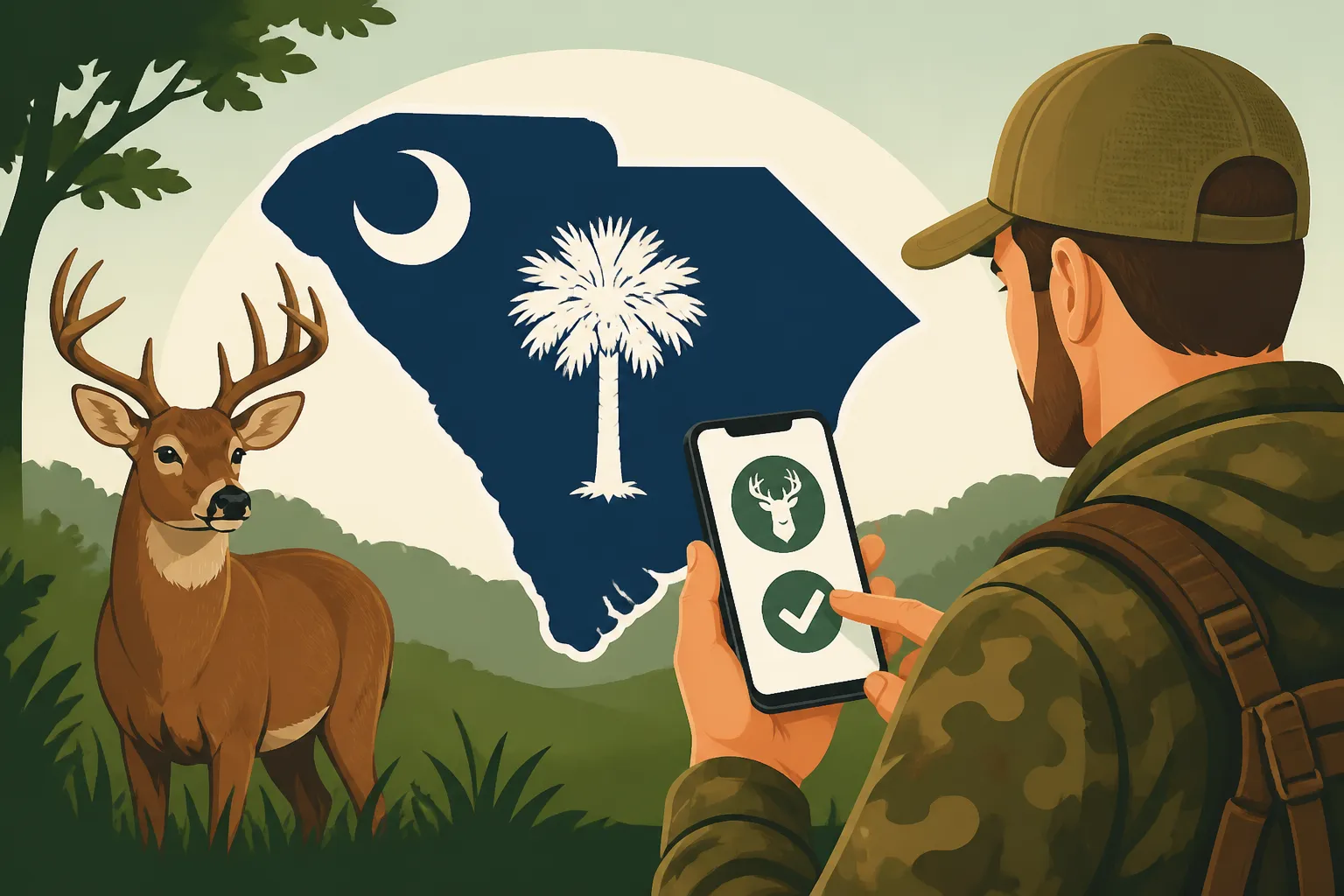
Alright, let's get down to brass tacks: how do you actually report that deer online? The process has been streamlined quite a bit over the years, making it more convenient than ever, often right from your smartphone in the field.
Accessing the Go Outdoors SC System
The official portal for reporting your harvest in South Carolina is through the Go Outdoors SC system. This is the same platform you likely used for Buying a License on Go Outdoors SC and securing your permits. It's designed to be a one-stop shop for all your licensing and reporting needs with the SCDNR. While some third-party apps and platforms like GoHunt offer incredible scouting tools and landowner information, for the actual legal reporting of your deer, you'll need to go directly through the state's official Go Outdoors SC website or their dedicated app.
You can access the system from any device with an internet connection – a laptop, tablet, or your smartphone. I usually save the link to my phone's home screen for quick access. Before you head into the woods, it’s a good idea to confirm your login credentials. There's nothing worse than standing over a downed deer, ready to report, only to realize you can't remember your password or username. A quick check before the season starts can save a lot of frustration. If you haven't used it much, you might also want to explore features like the Using the Go Outdoors SC Map Tool before your hunt, as it can help you verify your current game zone.
Step-by-Step Reporting Walkthrough
Once you're logged into the Go Outdoors SC system, the reporting process is surprisingly intuitive. Here's a typical flow, though slight updates might occur from season to season:
- Log In: Head to the Go Outdoors SC website or open the app and log in using your customer ID and password.
- Navigate to Report Harvest: Look for a clear option labeled something like "Report a Harvest," "Game Check," or "Deer Report." This is usually prominently displayed on your dashboard.
- Select Species: You’ll be prompted to select the species you harvested. In this case, choose "White-Tailed Deer."
- Enter Harvest Details: This is where you'll input the specific information about your deer.
- Date of Harvest: The exact date you killed the deer.
- County: The county where the deer was harvested. Make sure you know this accurately.
- Game Zone: South Carolina is divided into four game zones. This is critical. If you're unsure, consult a map or your hunting license which often specifies the zones. Your chosen area for hunting, whether it's the South Carolina's Zone 4 Coastal Deer Season or the South Carolina's Zone 1 Upstate Deer Season, will fall into one of these zones.
- Antlered or Antlerless: Indicate whether the deer was a buck with antlers (usually defined by having at least one antler of a certain length, check current regulations) or an antlerless deer (doe or button buck).
- Type of Land: You'll usually need to specify if it was private land, WMA, or other public land.
- Method of Take: Rifle, bow, crossbow, muzzleloader, etc.
- Review and Confirm: Before hitting submit, take a moment to double-check all the information you've entered. Mistakes here can mess up the data and potentially cause issues for you later.
- Receive Confirmation Number: Once submitted, the system will generate a unique confirmation number. This is extremely important. Write it down, take a screenshot, or otherwise ensure you have this number. This number serves as your official record that the deer has been legally checked. It's your proof of compliance and you must attach it to the deer.
You typically have a very specific timeframe to report your deer, usually within 24 hours of harvest and before the carcass is dismembered or leaves the state. Always refer to the most current South Carolina Deer Season Structure Explained regulations to ensure you're compliant.
Verifying Your Submission
After you've hit that "submit" button and received your confirmation number, you might feel a wave of relief. But how do you know for sure it went through? The confirmation number itself is your primary verification. Think of it like a receipt. If you have that number, you've done your part.
However, sometimes you might want to review your history or just confirm everything is logged correctly. The Go Outdoors SC system usually allows you to view your harvest history. You can log back into your account and navigate to a "My Harvests" or "Harvest History" section. Here, you should see a list of all the deer you've reported, along with their details and confirmation numbers. This is a great way to keep track of your personal harvest records, especially if you're trying to manage your South Carolina Statewide Antlered Bag Limit or South Carolina Statewide Antlerless Bag Limit throughout the season.
It's also a good practice to keep a physical copy of your license and permit, or at least have it easily accessible on your phone, in case a game warden asks for it during a check. The system is pretty robust, but technology can sometimes have hiccups. Having that confirmation number ready will always be your best defense.
Understanding Your Harvest Record
Once you've reported your deer, the confirmation number you receive is more than just a random string of digits. It's a key piece of your hunting season, confirming your compliance and contributing to larger wildlife management efforts.
Decoding Your Confirmation Number
Every time you successfully report a deer through the Go Outdoors SC system, you'll be issued a unique confirmation number. This number serves several critical purposes. First and foremost, it's your official proof that you've fulfilled the legal obligation to report your harvest. You are required to physically record this number on your deer tag and attach it to the deer. This means that if you're ever stopped by a game warden while transporting your deer, having that tag with the confirmation number is essential. They'll likely check this number against their system to ensure everything is legitimate.
Beyond legal compliance, this number is also linked directly to the data you provided about your harvest. When the SCDNR compiles their annual South Carolina Deer Harvest Records, your individual report, identified by that confirmation number, is part of that larger dataset. It helps them track things like how many deer are being taken from a particular county, what proportion are bucks versus does, and the overall impact of hunting pressure. Understanding this number's importance can give you a greater sense of pride in contributing to conservation, knowing your efforts help shape the future of hunting in South Carolina.
Reviewing Past Harvests and Tags
One of the great features of the online Go Outdoors SC system is the ability to easily review your past hunting activity. After you log in, there's usually a section, often labeled "My Account," "My Licenses," or "Harvest History," where you can access a digital archive of your previous harvests. This is a fantastic resource for personal record-keeping, allowing you to look back at the deer you've taken over the years. You'll typically find details like the date of harvest, county, game zone, and whether it was an antlered or antlerless deer, all tied to the confirmation number you received at the time.
This feature is particularly useful if you're working within specific bag limits or trying to track your success rates in different areas. For instance, if you're trying to fill your two antlerless tags in a day or meet your overall Filling a Five-Deer Statewide Limit, being able to quickly check your past reports can help you stay organized. It also acts as a backup in case you lose a physical tag or forget a confirmation number. While the system is primarily for official reporting, many hunters find this digital archive helpful for planning future hunts, perhaps by noting successful spots or times of year. You can also view your active licenses and permits, making it easy to confirm your eligibility before heading into the woods for Bowhunting South Carolina's Long Archery Season or a late-season rifle hunt.
Common Mistakes and Troubleshooting
Even with the best intentions and a user-friendly system, sometimes things go awry. It's not uncommon to encounter a technical glitch or realize you made an input error after the fact. Don't panic; there are usually solutions.
Dealing with Technical Glitches
Let's face it, technology isn't always perfect, especially when you're trying to use it in a remote hunting camp with spotty cell service. A common frustration is trying to submit a report only for the page to time out, the app to crash, or the submission to fail without explanation. If this happens, take a deep breath.
First, check your internet connection. Often, it's as simple as moving to an area with stronger signal or finding Wi-Fi. If that's not the issue, try clearing your browser's cache and cookies or restarting the app. Sometimes a simple refresh is all it takes. If you're still having trouble, try a different device if one is available. A laptop might behave differently than a smartphone, for example. In extreme cases, where you absolutely cannot get the online system to work, you might need to contact the SCDNR customer service line directly. They can sometimes process reports over the phone or guide you through a workaround. Just remember that reporting your harvest within the legal timeframe is still your responsibility, so don't delay in seeking assistance if you're truly stuck. Having a backup plan, even if it's just knowing the customer service number, is part of being prepared.
Correcting Errors in Your Report
What if you've already submitted your report, received a confirmation number, and then realize you made a mistake? Maybe you accidentally put the wrong county, or marked an antlered buck as antlerless. It happens! The key is to address it promptly.
Unfortunately, most online harvest reporting systems, including Go Outdoors SC, don't typically allow hunters to directly edit a submitted report once it's finalized and a confirmation number has been issued. This is to maintain the integrity of the data. However, that doesn't mean you're out of luck. Your best course of action is to immediately contact the South Carolina Department of Natural Resources (SCDNR) licensing or game management division. Explain the situation clearly, providing your confirmation number, the original incorrect details, and the correct information. They understand that honest mistakes occur and will typically have a procedure in place to amend the record on their end. The sooner you report the error, the easier it is for them to make the correction. Waiting too long could complicate things, especially if the data has already been compiled for a specific reporting period. So, don't hesitate – a quick phone call or email can fix most reporting errors and keep your record accurate. While GoHunt might offer fantastic mapping features for Scouting South Carolina Public Land Before Season, it's the SCDNR you'll need to contact for these official record corrections.
| Information Needed for Deer Harvest Report | Description | Importance | Potential Issues If Incorrect |
|---|---|---|---|
| Hunter ID/License Number | Your unique identifier in the Go Outdoors SC system. | High | Cannot report, legal issues |
| Date of Harvest | The specific day the deer was killed. | High | Data inaccuracy, legal issues |
| County of Harvest | The county where the deer was taken. | High | Data inaccuracy, management decisions affected |
| Game Zone of Harvest | The specific Game Zone (1, 2, 3, or 4) where the deer was taken. | High | Data inaccuracy, legal issues |
| Antlered or Antlerless | Indicates if the deer had antlers (and meets legal size) or not. | High | Misreporting bag limits, legal issues |
| Method of Take | Rifle, shotgun, muzzleloader, archery (bow/crossbow). | Medium | Data inaccuracy, less critical for individual |
| Type of Land | Private Land, WMA, other Public Land (e.g., National Forest). | Medium | Data inaccuracy for specific land types |
| Confirmation Number | Generated upon successful submission; MUST BE ATTACHED TO DEER. | Critical | No proof of report, legal penalties |
Disclaimer
The information provided in this guide is for general informational purposes only and is subject to change. While we strive to provide accurate and up-to-date content, hunting regulations, license requirements, and reporting procedures can be updated by the South Carolina Department of Natural Resources (SCDNR) at any time. It is always the hunter's responsibility to consult the most current official SCDNR regulations and statewide hunting guides before participating in any hunting activity.