Carrying Proof of License on Your Phone
Hunters in South Carolina often find themselves wrestling with the age-old dilemma of carrying bulky paper licenses and permits into the field, risking loss, damage, or simply forgetting them at home. The good news is that in our increasingly digital world, there's a much more convenient way to stay compliant. This guide will walk you through everything you need to know about carrying proof of your hunting license and associated permits right on your phone in South Carolina.
The Evolution of License Proof in the Digital Age
For generations, the ritual of preparing for a hunt involved carefully folding your paper license, often with your big game tags attached, and tucking it into a wallet or a designated pocket in your hunting vest. This tangible piece of paper was your proof, your permission to pursue game, and losing it could quickly turn an exciting day afield into a frustrating encounter with a game warden. We’ve all been there, fumbling through pockets, heart racing, convinced we'd misplaced that critical document. The anxiety was real.
However, the world of technology marches on, and the South Carolina Department of Natural Resources (SCDNR) has embraced digital solutions to make life a little easier for hunters. This shift acknowledges the modern hunter’s reliance on smartphones for everything from navigation to game calls, making it a natural fit for license management as well. It’s a welcome change for many, removing some of the physical clutter and offering a streamlined approach to compliance.
This move to digital isn't just about convenience; it's about accessibility and efficiency. Imagine realizing you forgot your license just as you pull up to your favorite public land WMA. If it's on your phone, problem solved. This digital transformation has been a long time coming for many of us who've wished for a simpler way to keep our necessary documents close at hand without the fear of them getting wet, torn, or simply blowing away in a sudden gust of wind.
From Paper to Pixels: A Convenience Revolution
The advent of smartphones has revolutionized nearly every aspect of our daily lives, and hunting is no exception. Gone are the days when a crumpled paper license was your only official proof. Now, with a few taps on your phone, you can display all your pertinent hunting information, making compliance both simple and secure. This shift has eliminated the constant worry of misplacing a physical document, especially when you're miles deep in the Francis Marion National Forest or navigating thick lowcountry swamps.
Many hunters, myself included, have found immense relief in this digital flexibility. It means one less thing to forget as you're rushing out the door before dawn, trying to remember your shotgun, calls, binoculars, and, oh yeah, that little piece of paper. This digital convenience allows you to focus more on the hunt itself and less on the administrative burden. While traditionalists might miss the feel of a physical license, the practical benefits of digital proof are hard to argue against in the humid South Carolina climate where paper tends to wilt quickly.
The ease of access is a game-changer. Whether you're pulling up to a public dove field or setting up for an early archery season sit, having your credentials readily available on your phone ensures you're always prepared. This modern approach aligns perfectly with how many of us manage other aspects of our lives, allowing for a more integrated and less stressful hunting experience. It truly is a convenience revolution for those of us who spend a lot of time in the field.
The Anxiety of "What If?"
Despite the undeniable convenience, a lingering question often sits in the back of a hunter's mind: "What if my phone dies? What if I drop it in a creek? What if I don't have service?" These are entirely valid concerns, especially when you consider the remote, rugged environments many of us hunt in South Carolina. The anxiety isn't unfounded; electronics are prone to failure, and Mother Nature doesn't always play nice.
I've heard countless stories from fellow hunters about their phones going dead mid-hunt, or being without signal when they needed to check a regulation or report a harvest. It's a common frustration, especially when you're trying to use mapping apps like the one GoHunt offers, only to find yourself in a cellular dead zone. This uncertainty can sometimes make hunters hesitant to fully rely on their phones for something as critical as license proof, leading to a kind of technological "belt-and-suspenders" approach where they carry both digital and physical copies.
This "what if" scenario is why understanding the official rules and having backup plans is so crucial. While SCDNR has made it easier to go digital, they also understand the realities of hunting remote areas. No one wants to be caught in a bind, unable to prove their compliance to a game warden, simply because a battery gave out or a phone took an unexpected swim. Addressing these potential problems head-on is part of becoming a smart, prepared hunter in the digital age.
South Carolina's Official Stance on Digital Proof
Good news, folks! The South Carolina Department of Natural Resources (SCDNR) fully recognizes and accepts digital proof of your hunting license and associated permits. This means you generally don't need to carry a physical, printed copy of your base license or most permits while afield. You can display them on your smartphone or other electronic device if a game warden asks to see them. This policy is a huge win for convenience and reflects the modern reality of how we interact with technology.
However, there are always nuances. While the intent is to make things easier, it's essential to understand the specifics. SCDNR's primary platform for managing licenses and reporting harvests is the Go Outdoors SC system. This integrated platform is designed to be your one-stop shop for all things related to your South Carolina hunting licenses and what they cost. When it comes to proof of license, they prefer you use their official channels, ensuring the information presented is accurate and up-to-date.
Keep in mind that while your phone can serve as proof for your general hunting license, there might still be specific tags or permits that require a physical component for attachment to harvested game, like deer or bear tags. Always double-check the regulations for the specific species you are pursuing, as rules can sometimes change or have unique requirements. It's always better to be over-prepared than to find yourself in a sticky situation with a game warden in the middle of nowhere.
The Go Outdoors SC App: Your Digital Lifeline
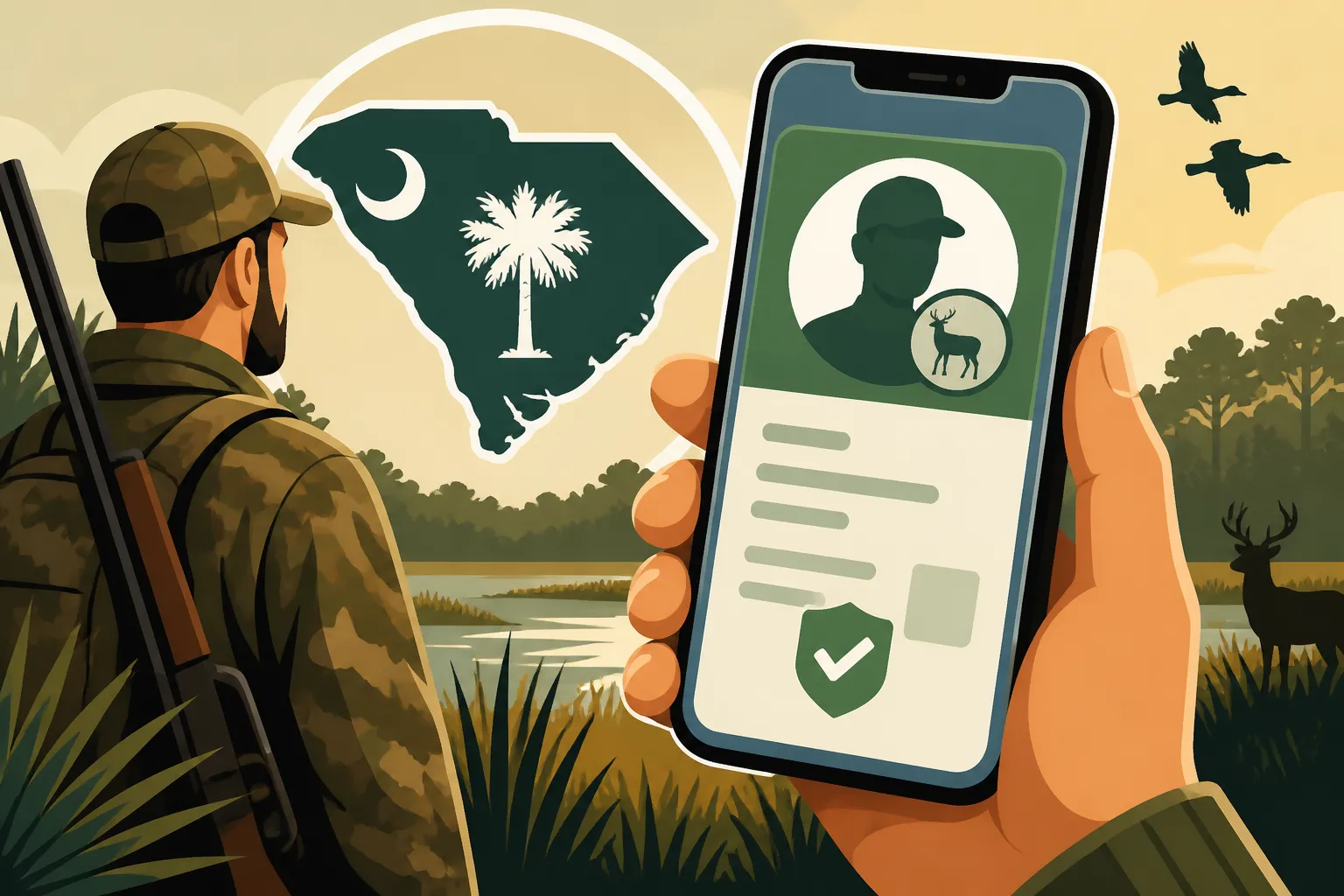
The absolute best and most reliable way to carry your digital proof in South Carolina is through the official Go Outdoors SC app. This isn't just any app; it's specifically designed by SCDNR to serve as your digital hub for hunting and fishing activities. Once you've purchased your license, whether it's a South Carolina Resident Hunting License Options or a South Carolina Nonresident Hunting License Options, it will appear within your profile on the app.
The Go Outdoors SC app is incredibly user-friendly. After logging in, you can easily access your current licenses, permits, and even report harvests directly from the field. This direct integration with the SCDNR system means that any game warden can quickly verify your information, seeing the same up-to-date data you do. It also acts as an official record, making it the most undisputed form of digital proof. Think of it as your virtual wallet for all your South Carolina hunting credentials.
Beyond just licenses, the app often contains information about specific South Carolina WMA Permit Requirements you might hold, making it easier to confirm your access to certain public lands. It’s also where you'll typically go for South Carolina Deer Reporting Requirements after a successful hunt. If you're going to rely on your phone for proof of license, downloading and regularly checking this app is non-negotiable. It truly is your digital lifeline in the South Carolina hunting landscape.
Beyond the App: Screenshots and Email Confirmations
While the Go Outdoors SC app is the gold standard, some hunters wonder if other forms of digital proof are acceptable. What about a screenshot of your license, or an email confirmation from when you purchased it online? Generally, SCDNR prefers the live data from the official app, but they often understand that technology isn't always perfect. A clear, legible screenshot of your current valid license, especially one taken directly from the Go Outdoors SC website or app, is usually considered acceptable proof by most game wardens.
The key here is clarity and legibility. If the screenshot is blurry, incomplete, or looks altered, it could raise questions. It needs to clearly show your name, license type, and the valid dates. Email confirmations, while useful as a purchase record, are less ideal as primary proof since they don't always display all the necessary license details in a clear, standardized format that a game warden needs to quickly verify. They're better as a backup to a backup.
When an officer asks for your license, they're looking for official documentation that you are compliant. While they might accept a good screenshot, relying solely on it is a bit like rolling the dice. It's always best to have the Go Outdoors SC app readily available, but if for some reason the app isn't loading or you’re in a low-signal area, a pre-saved, clear screenshot can definitely get you out of a pinch. Think of it as your emergency digital backup, especially if you find yourself Using Go Outdoors SC Without Cell Service.
The Exceptions: When Paper is Still Paramount
While digital proof is widely accepted, there are critical exceptions, particularly concerning certain tags. For instance, when you harvest a deer or a bear in South Carolina, the regulations often require you to attach a physical tag to the animal immediately. These physical tags are typically provided to you when you purchase your big game permit or are mailed separately. The act of physically attaching this tag, filling out the date and time, and then validating it, is a non-negotiable part of the harvest reporting process.
This requirement for physical tags isn't just about tradition; it's about proper management and preventing unlawful harvest. A digital license on your phone cannot be physically attached to an animal. Therefore, even if your base hunting license is digital, you absolutely must carry the physical deer tags if you plan to hunt deer, or bear tags if you're pursuing bear during Hunting South Carolina Black Bear Without Bait or any other bear season. Failing to do so could result in significant penalties, regardless of your digital license status.
This means that for big game hunters, a blend of digital and physical documents is the safest approach. Your phone can display your general hunting license, your WMA permits, and even your migratory bird certification. But those physical big game tags? They need to be in your pocket, ready to be deployed. Always refer to the most current SCDNR regulations, as these rules are designed to protect our wildlife resources and ensure fair chase.
| Feature | Physical License/Tags | Digital License/Tags (via Go Outdoors SC app) |
|---|---|---|
| Proof of License | Fully Accepted | Fully Accepted (preferred method for digital) |
| Big Game Tags | Required for attachment to harvested game | Not applicable (cannot be physically attached) |
| Durability | Prone to water damage, tearing, loss | Dependent on device durability |
| Accessibility | Requires physical retrieval from wallet/vest | Instant access via smartphone (if phone is functional) |
| Updates | Requires re-printing or mailing new copies | Real-time updates via app/web |
| Convenience | Can be cumbersome, easily forgotten | Highly convenient, always with your phone |
| Battery/Signal | Not affected | Vulnerable to low battery, no cell service |
| Cost | Often includes printing fees if ordered online | No additional cost beyond license purchase |
Practical Strategies for a Seamless Digital Experience
Okay, so we know that carrying your license on your phone is the way to go for most situations in South Carolina. But simply having the app installed isn't the whole story. To truly make this a seamless, stress-free experience, you need a few practical strategies. After all, the wilderness isn't exactly a tech-friendly environment. We're talking about long hours, unpredictable weather, and often, remote locations where a dead battery or a dropped signal can be a real headache.
One of the biggest advantages of modern hunting apps, like what GoHunt provides for mapping and data, is the ability to consolidate your hunting tools onto a single device. Adding your license to that ecosystem just makes sense. However, this convenience hinges entirely on your phone being functional and accessible when you need it most. That means taking a few proactive steps to ensure your digital proof is as reliable as possible, from the moment you leave your driveway to when you're packing out game.
These strategies aren't just about legality; they're about peace of mind. You don't want to be fumbling with a dead phone or a glitchy app when a game warden approaches. A prepared hunter is a confident hunter, and that applies just as much to your digital readiness as it does to your gear and skills. Let’s dive into how you can set yourself up for success.
Prepping Your Phone for the Wild
Before you even step foot into the woods, take a few minutes to prep your phone specifically for outdoor use. First and foremost, download the official Go Outdoors SC app and log in. Ensure all your current licenses, including your base license, big game permits, and any relevant South Carolina WMA Permit Requirements, are visible and up-to-date. If you've just purchased a new license, give the system a little time to update before you rely on it.
Next, and this is crucial, consider taking screenshots of your active licenses and permits within the app or from the Go Outdoors SC website. Save these screenshots to a dedicated folder or album on your phone that you can access quickly, even without cell service. This provides a valuable backup in case the app itself is slow to load in a low-signal area, or if you encounter an unexpected bug. It’s like carrying a spare key for your digital wallet.
Finally, think about your phone's physical protection. A rugged, waterproof case is practically a necessity for any hunter. Dropping your phone from a treestand or in a muddy creek can instantly render your digital proof useless. Also, ensure your screen is clean and scratch-free for clear viewing. You wouldn't go into the woods without adequate How Much Blaze Orange South Carolina Requires for safety, so don't go without proper protection for your essential electronics.
Backup Plans: Because Tech Fails
Let's be realistic: phones fail. Batteries die, screens crack, and signals disappear into thin air. That's why having a solid backup plan is just as important as having your digital license. Even with the convenience of the Go Outdoors SC app, smart hunters always have a contingency. My primary recommendation is always to have those crucial screenshots mentioned above saved locally on your phone.
Beyond screenshots, carrying a portable power bank is non-negotiable for long days afield. Modern power banks are compact, lightweight, and can give your phone several full charges, ensuring your digital proof remains accessible. Consider one that’s waterproof or at least water-resistant. This little device can literally save your hunt, allowing you to not only show your license but also use vital navigation apps, like those found in GoHunt, or make emergency calls.
While the aim of this guide is to move away from paper, for big game hunters, remember those physical tags are still essential. If you’re a primitive weapons hunter, you know the value of reliable gear, and a physical backup for everything important should be part of that mindset. You could even print out a small, laminated copy of your base license and tuck it into your wallet as a last-resort backup, especially if you're concerned about South Carolina Hunter Education Requirements cards or other non-tag documents. Think of it as an insurance policy for your hunt.
Avoiding Common Pitfalls with Digital Licenses
So, you’ve embraced the digital age, got the Go Outdoors SC app, and maybe even some screenshots saved. You’re feeling pretty good about having your license on your phone. But the wild places we hunt in South Carolina are full of challenges, and your phone isn't immune to them. Ignoring potential pitfalls is how a convenient solution quickly turns into a major problem, possibly jeopardizing your hunt or even leading to a citation.
From the sweltering heat of an August archery opener to the biting cold of a January deer hunt, our phones are exposed to extreme conditions. Plus, the sheer remoteness of some of our public lands, like sections of the Sumter National Forest, means cell signal can be a pipe dream. A wise hunter anticipates these issues and prepares accordingly. It's not enough to just have the digital proof; you need to ensure it's accessible and functional when it counts.
Many outdoor enthusiasts use their phones for a host of activities while hunting, from checking game camera photos on the go to using apps like GoHunt for mapping and weather. This heavy usage can drain batteries faster than you might expect. Let's dig into some of the most common issues hunters face when relying on their phones for license proof and, more importantly, how to proactively avoid them so your hunt remains enjoyable and compliant.
Battery Life: The Silent Hunter's Foe
Perhaps the most common and frustrating issue with relying on your phone in the woods is battery life. Nothing zaps the convenience of a digital license faster than a dead phone. We use our phones for so much these days – checking the time, snapping photos, texting hunting buddies, running navigation apps, checking the wind, and even making grunt calls. All these activities drain power, and often, without us realizing how quickly.
To combat this silent foe, a few habits are essential. First, always start your day with a fully charged phone. This seems obvious, but it's often overlooked in the predawn rush. Second, consider putting your phone in airplane mode or low power mode if you don't need active cell service. This significantly conserves battery, especially in areas with weak signal where your phone constantly searches for a tower. Remember that the Go Outdoors SC app still works for displaying your license in airplane mode if you've already logged in and it's cached the data.
Finally, as mentioned earlier, a reliable portable power bank is your best friend. Keep it charged and with you in your pack at all times. Think of it as an extra magazine for your rifle – a crucial backup you hope you don't need, but are incredibly thankful to have if you do. This simple piece of gear can ensure your digital proof is available from sunup to sundown, even if you’re out on a long public land day, allowing you to focus on Scouting With the Go Outdoors SC App rather than stressing about your phone dying.
Signal Strength: A Wilderness Challenge
South Carolina's diverse landscapes offer incredible hunting opportunities, but those remote tracts, from mountainous Upstate areas to dense Lowcountry swamps, often come with a trade-off: patchy or non-existent cell service. If you're relying on the Go Outdoors SC app to dynamically load your license information, a lack of signal can be a real problem.
The key to overcoming this is preparation. Before you head to an area known for poor cell service, open the Go Outdoors SC app and ensure all your licenses and permits are loaded and visible. The app often caches this information, allowing you to display it even when offline. However, if you haven't recently opened the app or logged in, it might struggle to pull up your data without a connection. This is where those clear, pre-saved screenshots of your licenses become invaluable – they don't require any signal to view.
Another smart move is to use offline map features from apps like GoHunt or the Go Outdoors SC app itself. This practice not only helps with navigation in remote areas but also minimizes your reliance on a signal for other crucial functions. Don't let a lost signal ruin your hunt or your ability to prove compliance. Plan for the worst, and you'll often experience the best.
Device Damage: The Unforeseen Hazard
The great outdoors can be tough on electronics. Rain, mud, accidental drops, and even just the humidity can wreak havoc on your smartphone. A cracked screen, water damage, or a completely non-functional device means your digital license proof is suddenly inaccessible, leaving you in a tricky situation if a game warden asks for your credentials.
Investing in a high-quality, rugged, and waterproof phone case is the first line of defense. There are many excellent options available designed specifically for outdoor enthusiasts. Additionally, consider a screen protector to guard against scratches and cracks that could obscure your license information. Beyond physical protection, think about where you store your phone while hunting. Keeping it in a zippered, waterproof pocket in your hunting vest or pack is much safer than an open pocket where it could easily fall out or get soaked.
Even with the best precautions, accidents happen. If your phone becomes completely unusable, having a physical backup of your general hunting license, even a simple printed copy, could be a lifesaver. This is especially true for items like your South Carolina Apprentice Hunter License Rules or your How Long a South Carolina License Stays Valid, which don't have physical tags like big game. While digital is convenient, a broken device is no proof at all. Being prepared for device damage is just another layer of readiness that sets successful hunters apart.
Disclaimer
Please remember that hunting regulations can change. While this article provides the most current information available at the time of publication regarding carrying digital proof of your hunting license in South Carolina, it is your responsibility to verify all rules and regulations with the South Carolina Department of Natural Resources (SCDNR) before going afield. Always refer to the official SCDNR website or contact them directly for the most up-to-date and authoritative information.